QR Menu vs. Printed Menu: A Comparison for Restaurants
Is a QR menu or a printed menu better? Both have strengths. This article compares them across seven dimensions: cost, update speed, translation for foreign guests, hygiene, visual richness, customer experience, and data and analytics, then helps you decide which option suits your venue, including a hybrid approach that uses both.
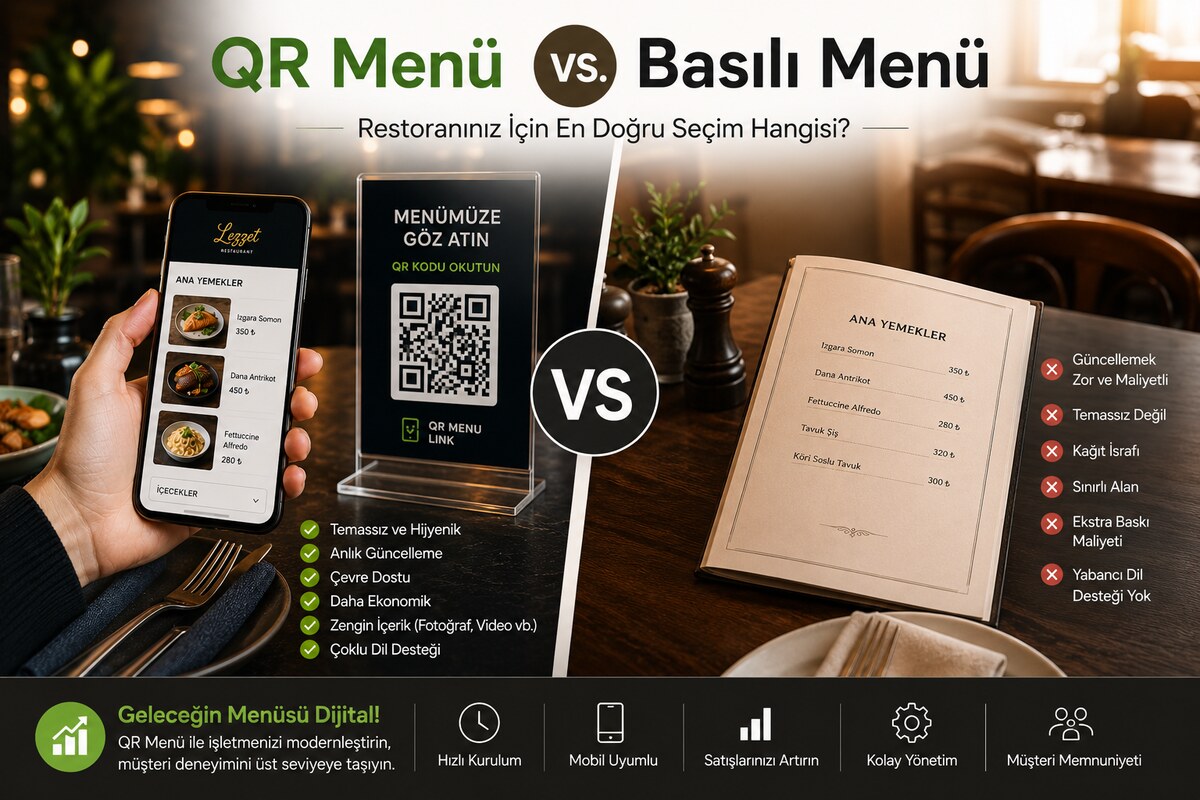
The printed menu has been a restaurant staple for decades. Guests are used to holding it, flipping through the pages, setting it down and picking it back up. Against that, the QR menu spread rapidly over the last five years. Which one makes more sense for your business? Let\'s compare them across 7 dimensions.
1. Cost
Printed menu: printing 50 menu cards costs roughly 2,000–5,000₺ depending on print quality. If you make 2–3 price updates a year, that cost multiplies. If you use laminated or folder-style menus, hygiene-related wear happens even faster.
QR menu: 200₺ a month (1,500₺ a year) in Turkey, or $5 a month ($50 a year) elsewhere, buys unlimited updates and unlimited menu cards. You print the QR code once, and you never reprint it even when prices change. Annual savings: in the 3,000–10,000₺ range.
2. Update speed
Printed menu: for a new item or a price change you have to take it to the print shop, wait for the print run, and hand the new ones out to the tables — a minimum of 3–5 business days.
QR menu: you open the panel, change the price, and save. Time to take effect: 0 seconds. The guest sees the new price on their next scan.
3. Translation and foreign guests
Printed menu: if you get foreign guests, you have to print menus in extra languages such as English, German, and Russian. That means both extra cost and the difficulty of guessing which menu to hand to which table. Multi-language printed menus are found in very few restaurants.
QR menu: the guest\'s phone language is detected automatically, or they pick it themselves. AI translation renders the menu into 5 languages with a single click. In tourist regions like Antalya, Bodrum, and Istanbul, this difference is revolutionary.
4. Hygiene
Printed menu: a topic burned into our minds after COVID. Every physical menu — including plastic-coated ones — is a shared-touch surface. Some restaurants disinfect after every guest — labor-intensive.
QR menu: the guest touches their own phone and never handles the restaurant\'s physical menu. Zero contact, zero need for disinfection.
5. Visual richness
Printed menu: high-quality photo printing drives up the cost; most restaurants add photos for 8–10 items and cover the rest with text.
QR menu: every item can have a high-resolution photo, a video, even a 360° view. Compared to a menu without photos, the guest\'s order total rises by 15–20% (industry average).
6. Customer experience
Printed menu: a familiar, fluid, "tangible" feel. Some guests (especially those 50+) still prefer this experience.
QR menu: the ability to search (critical on long menus), quick jumps between categories, a detail popup when you tap an item, an allergen filter, a vegetarian filter. For a younger audience (ages 18–35), the QR menu is almost always faster and more efficient.
Practical tip: the Sticky Nav template is far easier to browse than a printed menu when you have more than 10 categories.
7. Data and analytics
Printed menu: which page does the guest linger on? Which item should be highlighted? You can\'t know. All you have is "it sells" data (from the register).
QR menu: how many times each item was tapped, which category was browsed most, which hours are busiest, which language the menu opens in — all of it charted in the panel. Data-driven menu management becomes possible.
Conclusion: there\'s a hybrid approach too
The QR menu beats the printed menu on every dimension. Still, some restaurants go hybrid: the main menu is QR, and the "specials of the day" go on a small printed card. This combination pairs digital flexibility with the psychological warmth of a physical menu.
For restaurants that don\'t want to drop the printed menu entirely, a small table card carrying a single QR code delivers the same information at half the cost of a printed menu and keeps it updated 24/7. The decision varies by restaurant, but on data and savings the QR menu is clearly ahead.
To try it in your own business: open a 6-month free account, digitize your menu, run your printed menu alongside it for 2 weeks, and watch how guests react. The data will be in your favor.