QR Menu for Every Business: Spa, Beauty Center & Salon Catalog
QR menus aren't only for cafes and restaurants. Spas, beauty centers, hair salons and shops can build a dynamic digital catalog from a single QR code printed on the counter, table or brochure. When you update services, prices or campaigns in the panel, customers see the latest version on every scan, with no reprinting needed.
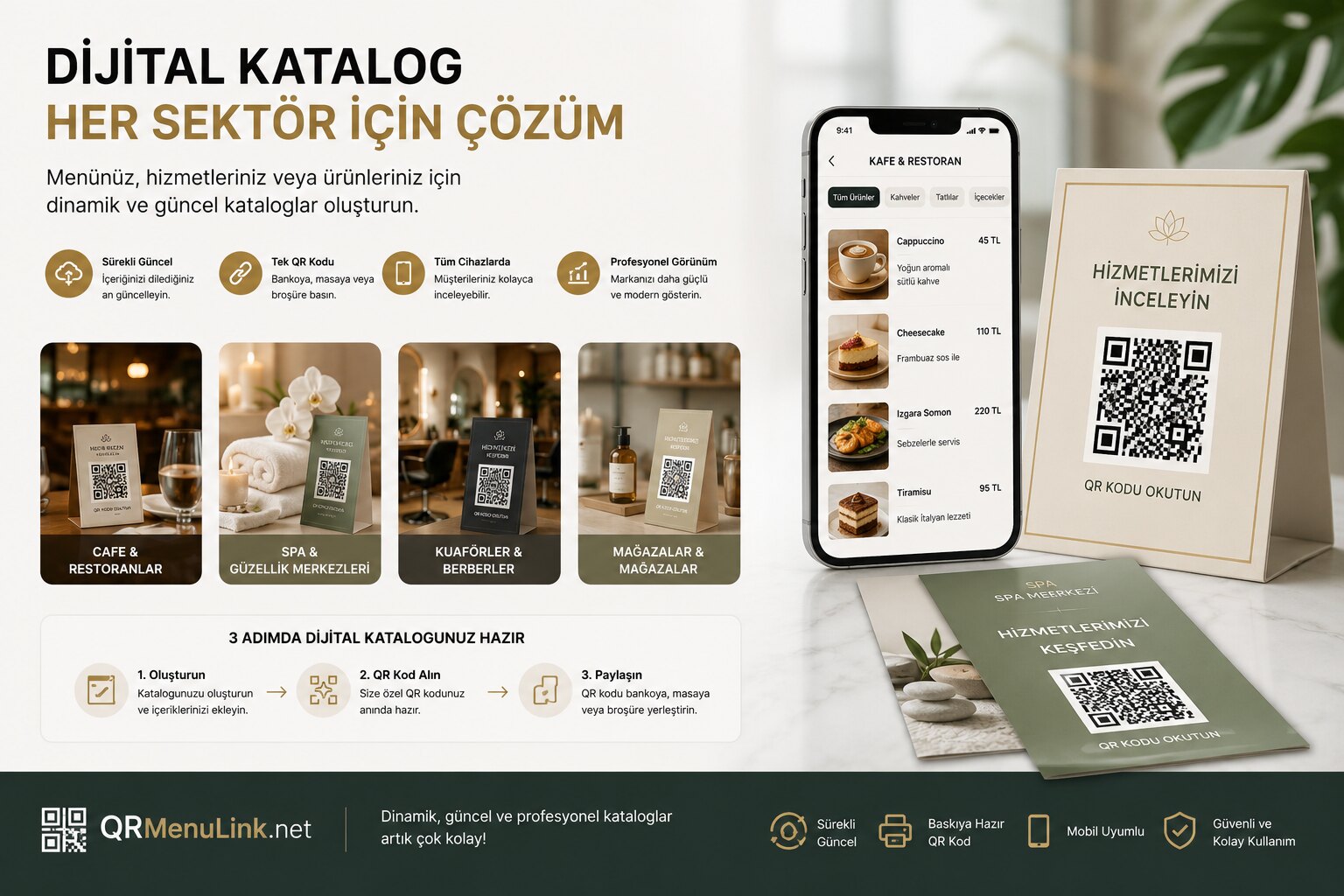
When people hear "QR menu," they usually picture the little square on a restaurant table. But the system behind that square does more than show a food list: it presents a digital catalog — organized into categories, with images, descriptions and prices. This structure fits a cafe menu just as well as it fits a spa's massage sessions, a beauty center's treatments, a hairdresser's price list or a boutique's product showcase. QR Menu Link isn't just for restaurants — any business that works on a catalog logic can use it.
A "menu" is really a digital catalog
The building blocks of a menu are universal: a category (for example "Body Massages"), the items under that category (a service or a product), and for each item a name, description, price and image, plus an optional badge/label (duration, "new," "popular"). In a restaurant this framework maps to "Main Dishes → Adana Kebab," in a spa to "Body Massages → Hot Stone Massage," and in a salon to "Hair Services → Blow-dry + Cut." The content changes, the structure stays the same — which is exactly why the same system suits every industry.
Which businesses can use a QR catalog?
Spa & massage centers
List your session types with their durations (60 min, 75 min, 90 min), descriptions and prices; group couple and package options into separate categories. Guests scan the QR at reception and browse every service on their phone, complete with photos. When a price or promotion changes, there's no need to reprint a brochure.
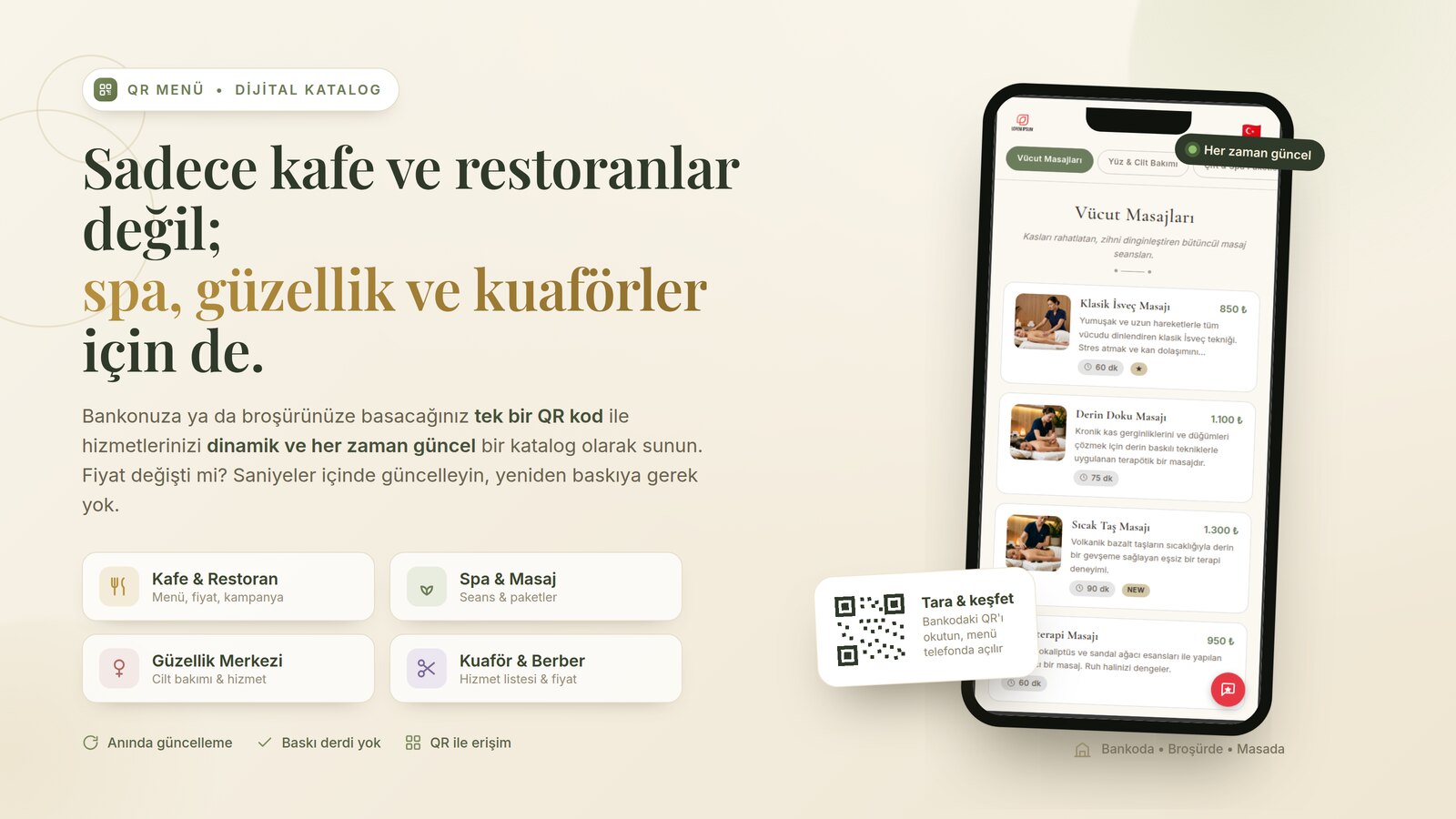
Beauty centers
Split services like skin care, permanent makeup and hair removal into categories; add a short description and before/after images to each service. If you're in a tourist area, multi-language support lets you translate your menu into English, German or Russian with a single click.
Hair & barber salons
Present haircuts, coloring, blow-dry, beard and grooming services as a clear, priced list. With a single QR stuck on the wall or mirror, customers can see all your services and current prices while they wait. Every time your price list changes, you update the panel instead of printing a new sheet.
Shops & boutiques
Share your product catalog, featured collections and prices with a QR on the storefront or counter. When stock or the season changes, the catalog updates instantly; customers can even scan the storefront QR after hours to browse your products.
Why a QR catalog instead of a printed list?
- Always up to date — when a price, service or promotion changes, you edit it from the panel; the QR stays the same, and customers see the latest content on their next scan.
- No printing costs — you don't reprint a brochure or list with every change.
- Visual and descriptive — each service gets a photo and a description, creating an impression a printed price list simply can't.
- Multi-language — in tourist-heavy areas your menu translates into different languages with one click.
- Mobile-friendly — customers download nothing; scanning the QR opens the menu straight in the browser.
- Measurable — you see how many scans come in on which day and hour, so you can plan your busy periods and campaign timing accordingly.
Where do you put the QR? On the counter, the table, the brochure
Your QR code is flexible: a small stand on the reception counter, a card on the table beside the waiting seats, a corner of a brochure you hand out, a sticker on the storefront or a decal on the salon mirror. You can prepare a stylish, on-brand table stand right inside the panel — no separate design software needed. For the details, take a look at our article Design Your Own Table QR Sheet.
Your digital catalog is ready in 3 steps
- Create it — add your categories and your service/product items, then enter prices and images. If you struggle to write descriptions, the AI assistant generates a short, fluent one for you.
- Get your QR code — a QR code linked to your catalog is generated automatically; download it as a high-resolution PNG or PDF. You can even produce a separate QR for each table/room.
- Share it — place the QR on the counter, table or brochure. Update the content whenever you like; there's no need to reprint the code.
Frequently asked questions
I'm not a restaurant — can I still use it?
Yes. The system is content-neutral: instead of a menu, you can build a service list, a product catalog or a price list. Spas, beauty centers, hair salons, barbers, boutiques and similar businesses all work with the same panel.
Does the QR code change when I update prices?
No. The QR code stays the same; only the price inside the catalog changes. Customers see the updated price on their next scan, so there's no need to reprint.
Do my customers need to download an app?
No. The QR code opens the catalog directly in the browser on the customer's phone. There's no app store, sign-up or download requirement.
I don't have photos — is that a problem?
Not at all. First you set up the structure (categories and services), then you add photos. You can also pick from a ready-made image gallery or use the AI-powered image features.
Conclusion
A QR menu isn't a restaurant-only tool; it's a digital catalog infrastructure whose content you define. From a spa to a salon, from a beauty center to a boutique, a single QR code printed on the counter, table or brochure keeps your services dynamic and always up to date. No printing hassle, ready in a few minutes.
Open a free account — build a digital catalog tailored to your industry