QRMenuLink Staff Now on the App Store: Waiter Calls & Menus on iPhone and iPad
Our iOS app is live! Waiter calls reach iPhone and iPad even on the lock screen; manage prices, stock and photos from your phone. With dark mode and full iPad support.
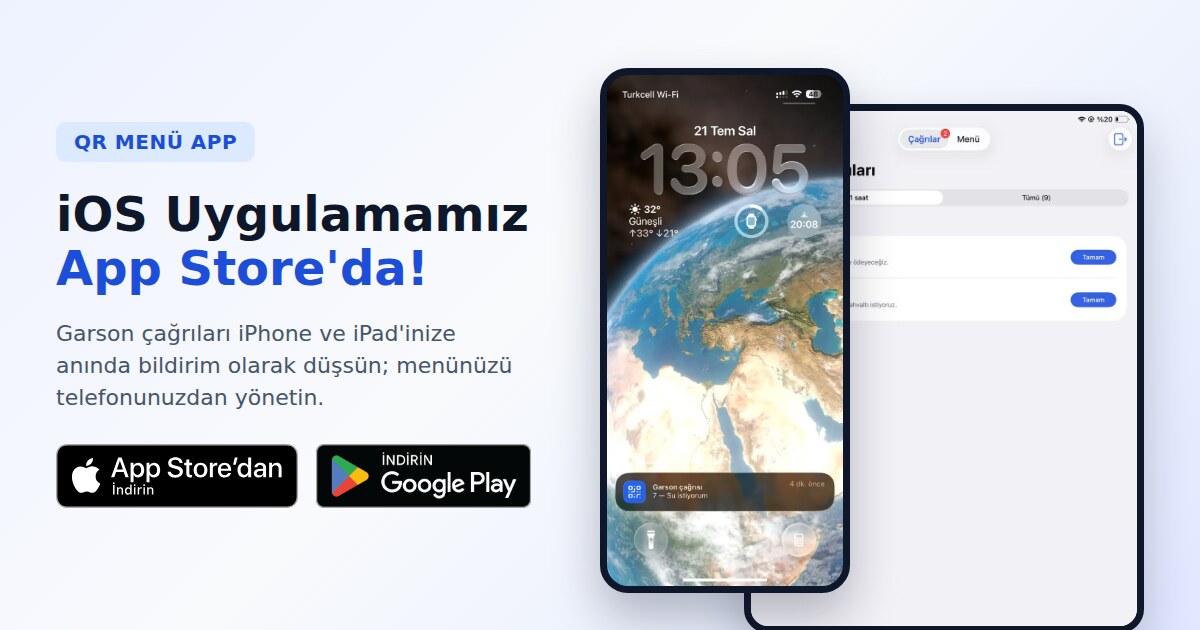
Great news: the QR Menu Link Staff app is now live on the App Store. Following the Google Play launch, the iOS version is here: get waiter calls instantly on your iPhone and iPad, and manage your menu from your pocket. It runs on every iPhone and iPad with iOS 16 or later.
🎉 The set is complete! The Staff app is now live on both Android (Google Play) and iOS (App Store). Whatever phones your team carries, every call reaches everyone.

Call notifications, even on the lock screen
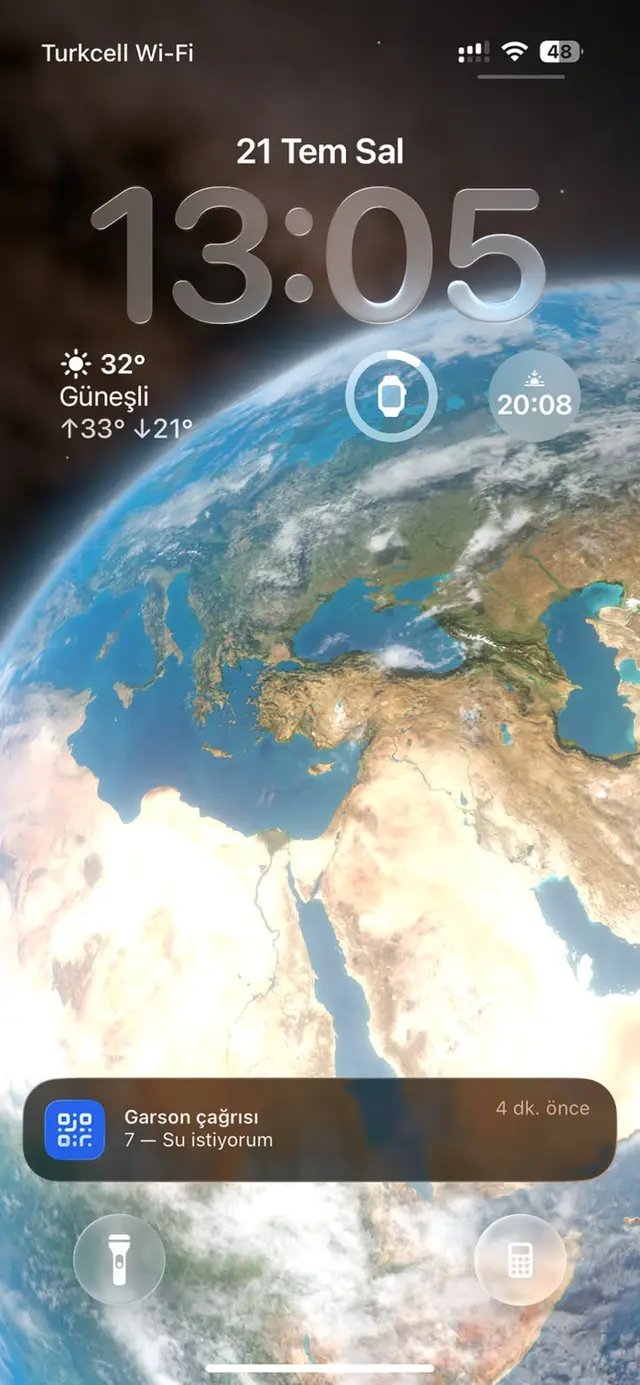
The moment a customer taps "Call Waiter" or "Request Bill" on the table's QR menu, the call lands on your iPhone as a sound-and-vibration notification — even with the phone in your pocket and the screen off. The notification shows the table number and the customer's note (like "Water, please") right away, so staff know who needs what before even opening the app.
All pending calls on one screen
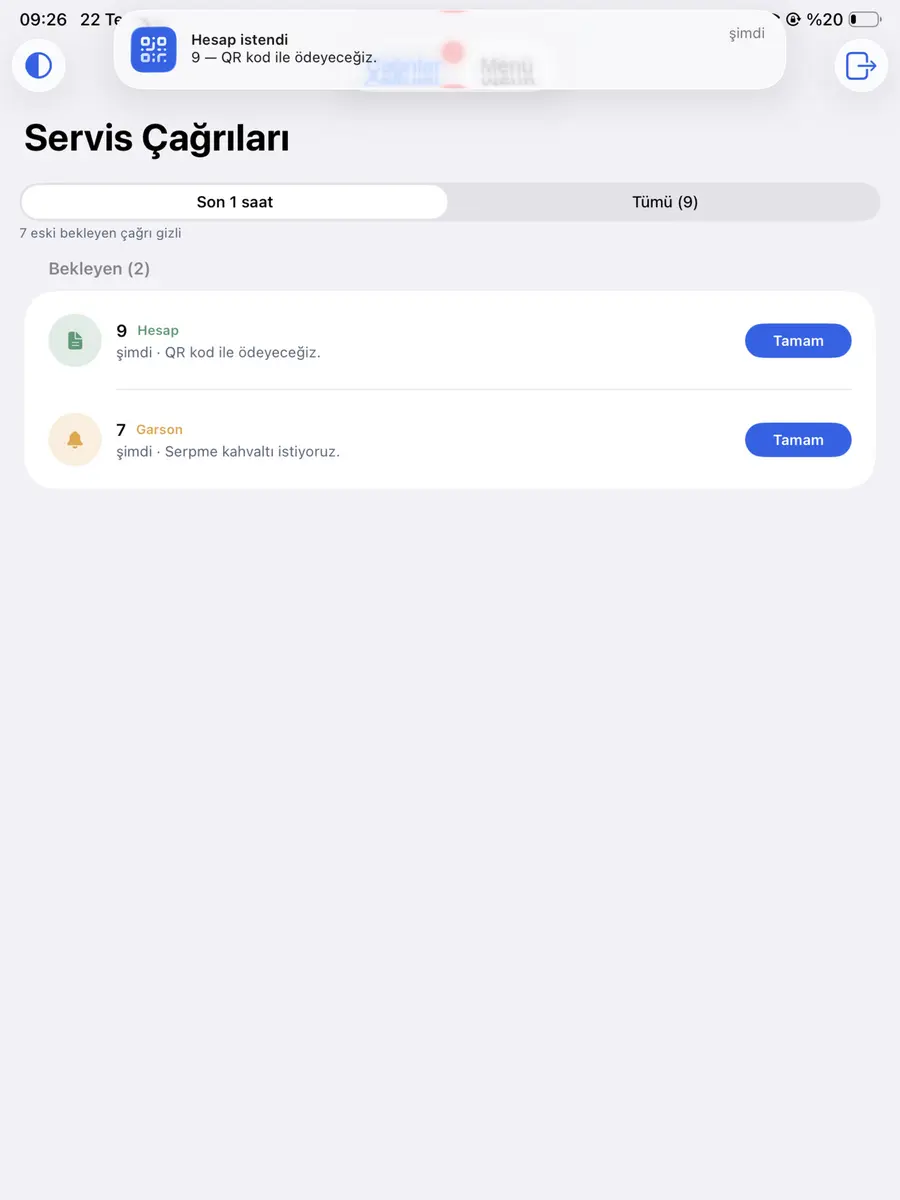
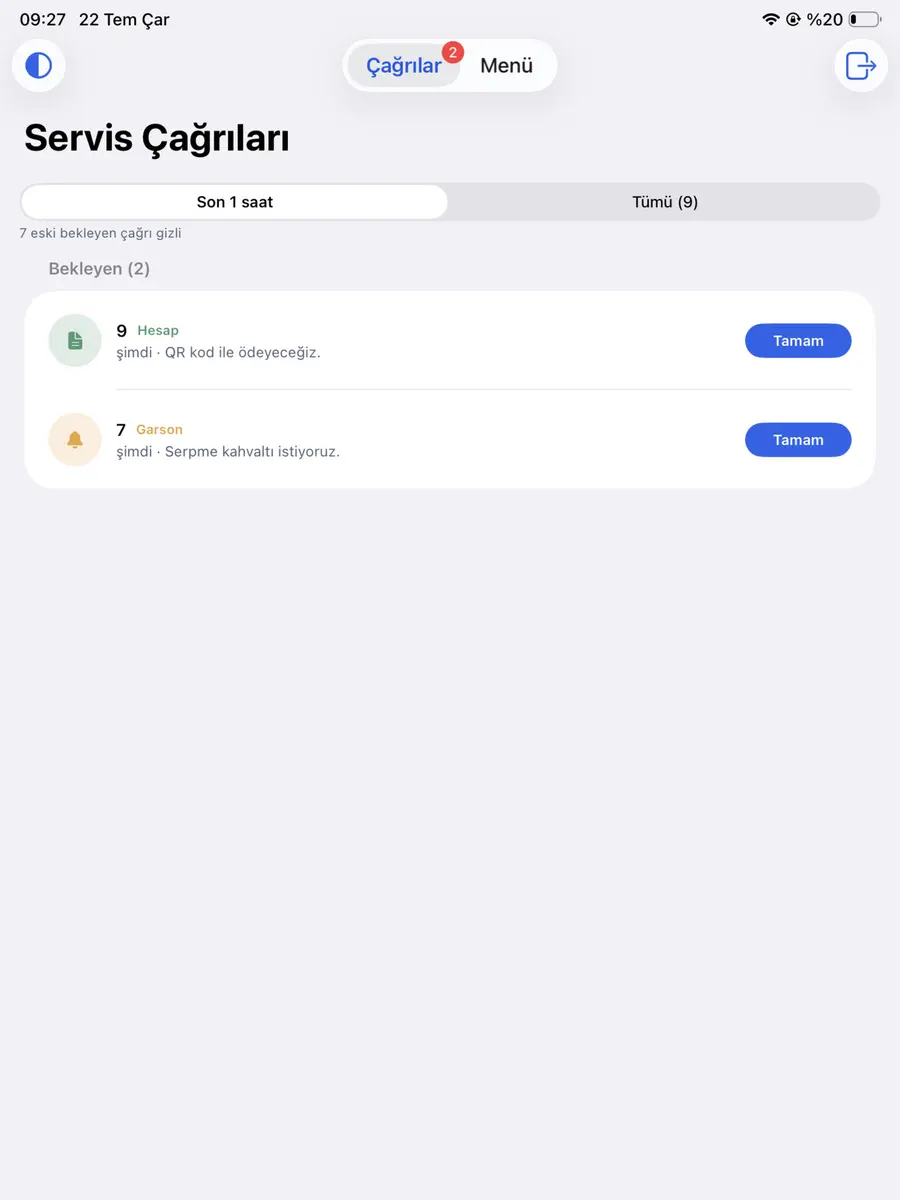
The Service Calls screen lists pending calls at the top with their type (Waiter / Bill), table number and note. Whoever is free takes the call with a tap on "Done" — everyone on the team sees it's being handled. The "Last hour" filter keeps a busy service focused on fresh calls; older ones stay one tap away in the "All" tab.
Manage your menu from iPhone and iPad
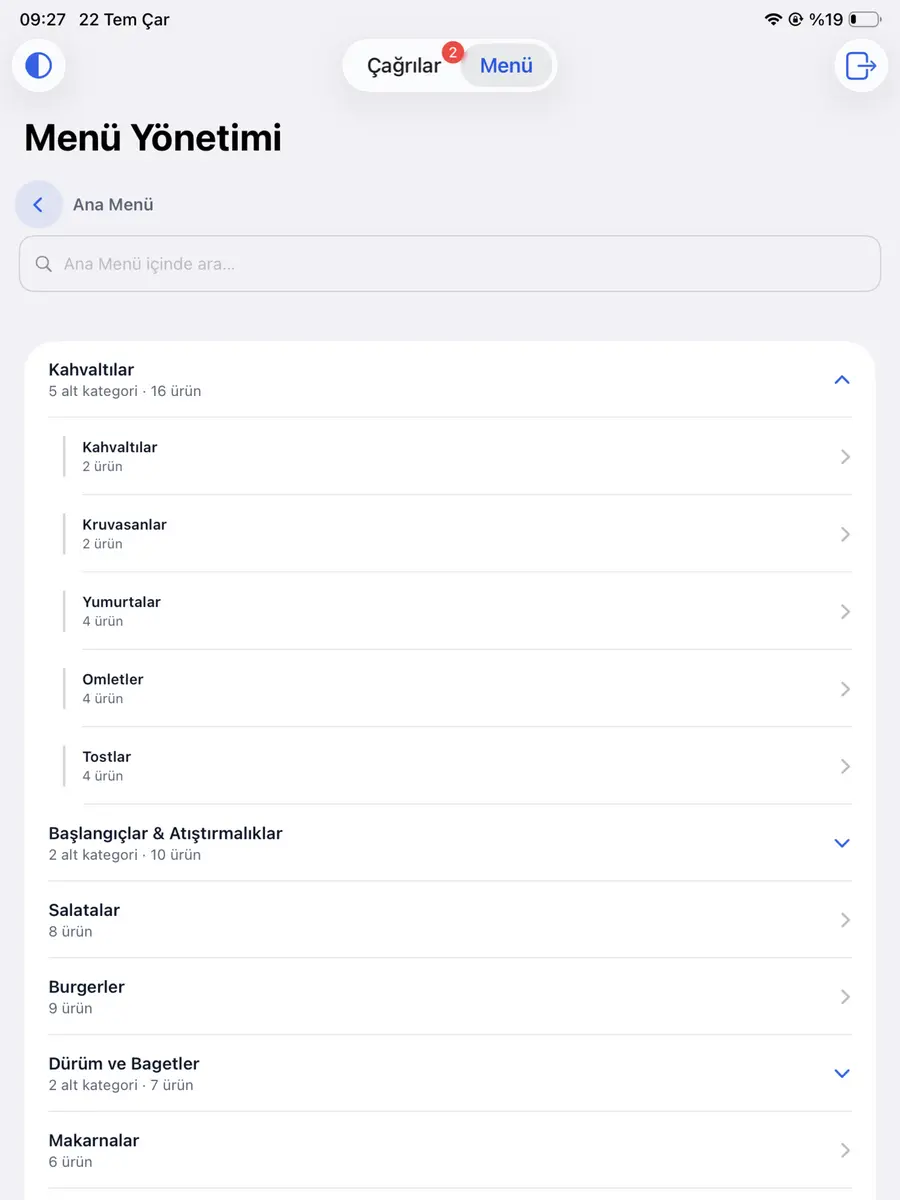
The Menu tab gives you your full menu tree: categories with their subcategories, item counts, and a search box that finds any item among hundreds in seconds.
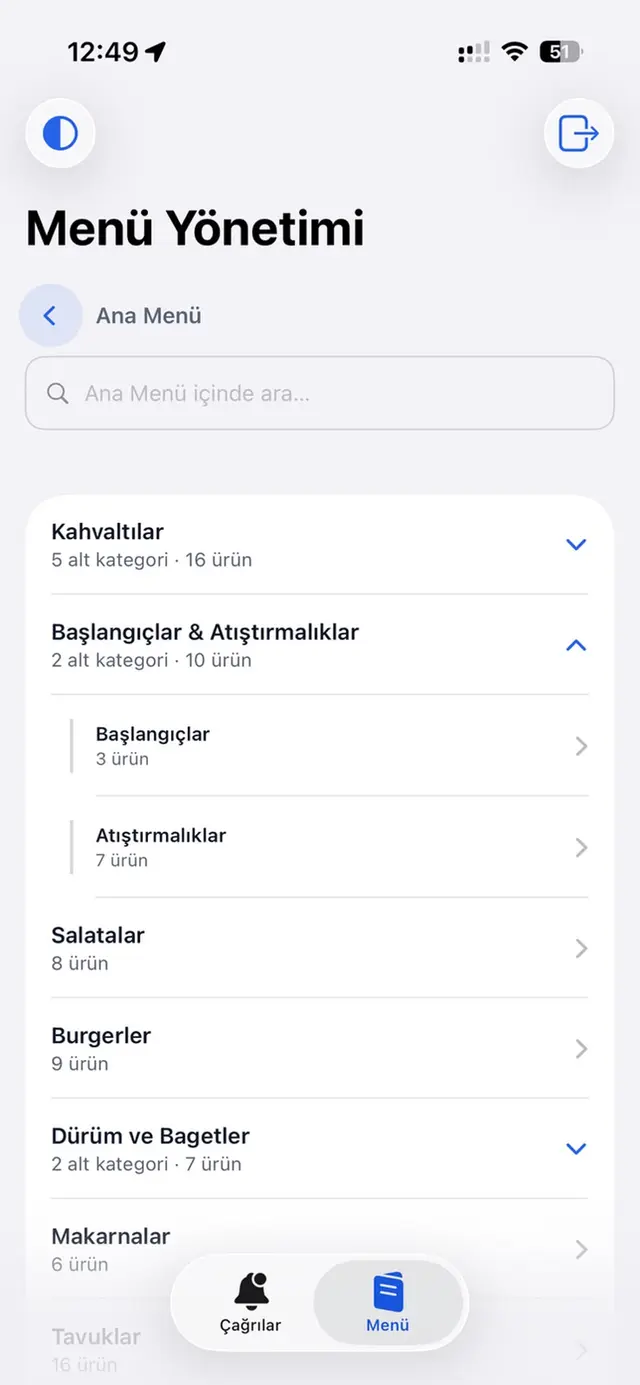
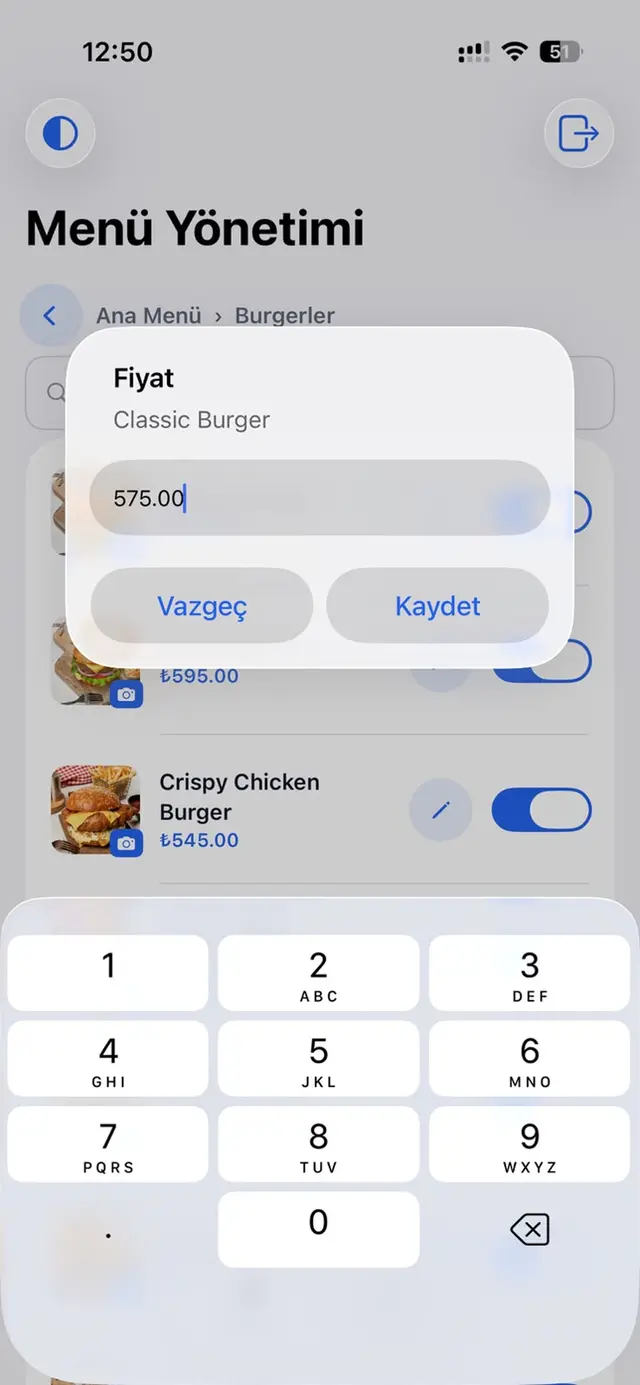
Tap an item and within seconds you can:
- Update the price: tap the pencil, type the new price, save — it's live on the menu instantly.
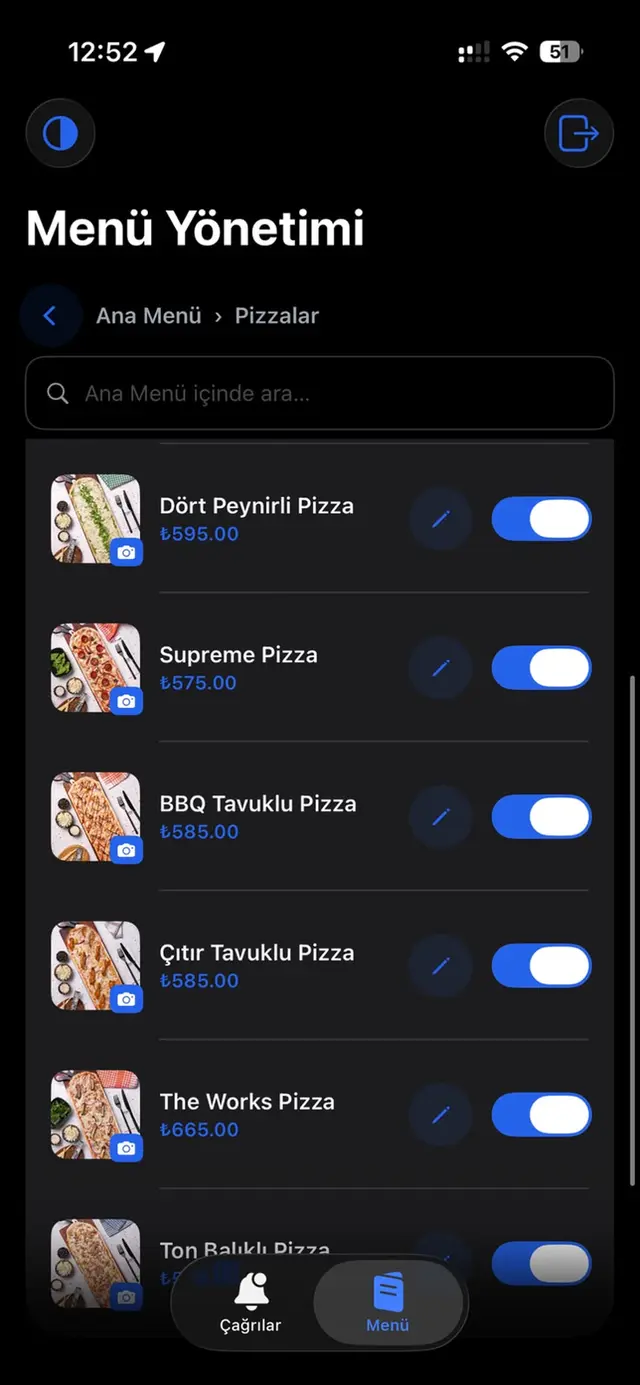
- Mark it sold out: flip the switch next to any item; it's hidden from the QR menu immediately.
- Add a photo: upload an item photo straight from your phone's library.
- Search fast: find any item by name inside the menu.
Dark mode and full iPad support
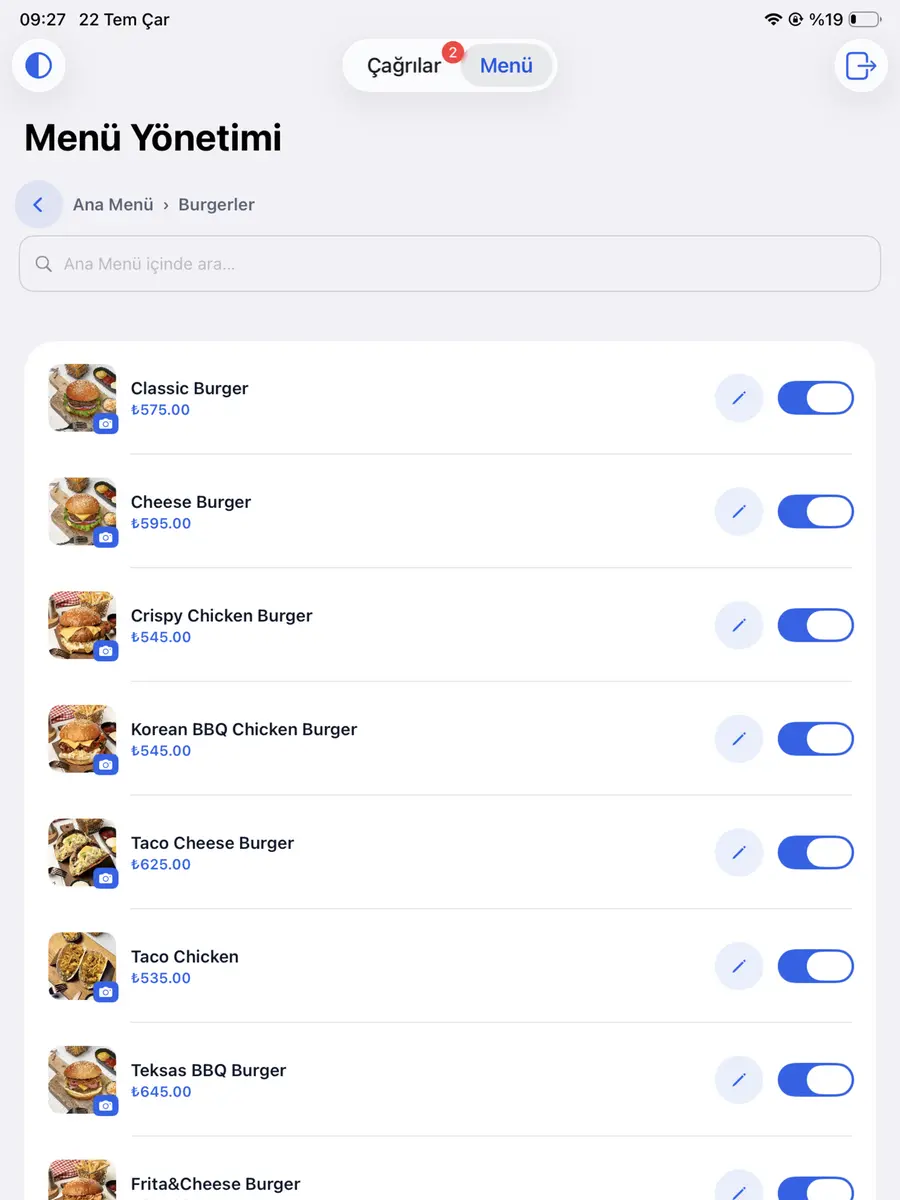
The app feels native on both iPhone and iPad. Switch to dark mode with the toggle in the top corner — easy on the eyes in a dim dining room or during evening service. On iPad the layout adapts to the big screen, so an iPad at the counter becomes the team's shared call board.
Why it makes a difference
- Instant calls: customers don't wave and wait; the call goes straight to staff pockets.
- Table and note info: staff know who, where and what for — before walking over.
- Mixed teams: Android and iPhone users get the same calls at the same moment.
- Easy menu management: prices and stock always current, no computer needed.
Frequently asked questions
Do customers need to install an app?
No. Customers just scan the QR code on the table; the call buttons live inside the menu. The app is for staff only.
Which devices does it run on?
Every iPhone and iPad on iOS 16 or later. On Android, our Google Play app is also live.
Is the app paid?
No, the app is free. Just sign in with your QR Menu Link account.
Do I need to reprint the QR after menu changes?
No. Price, stock and photo updates go live instantly; the QR code on the table never changes.
More from this series
Our series on waiter calls and menu management across devices and methods:
- QRMenuLink Staff — iOS (this post): live on the App Store; waiter calls and menu management on iPhone and iPad.
- QRMenuLink Staff — Android: live on Google Play; the same features on Android phones.
- App-free notifications: get call alerts through the panel without installing anything.
Wrapping up
With the iOS release, QRMenuLink Staff now covers every phone on your team: customers call from the table, the call reaches everyone at once, and the menu stays current. No waving for waiters, no missed calls, no stale prices.
Try it free — start taking calls and managing your menu today