QRMenuLink Staff App on Google Play: Waiter Calls & Mobile Menus
Our QRMenuLink Staff Android app is live on Google Play. When a guest calls a waiter or asks for the bill from the QR menu at their table, the call lands on staff phones instantly with an audio alert. The same app lets you manage the menu: update prices, hide sold-out items and add photos. The iOS version is live too.
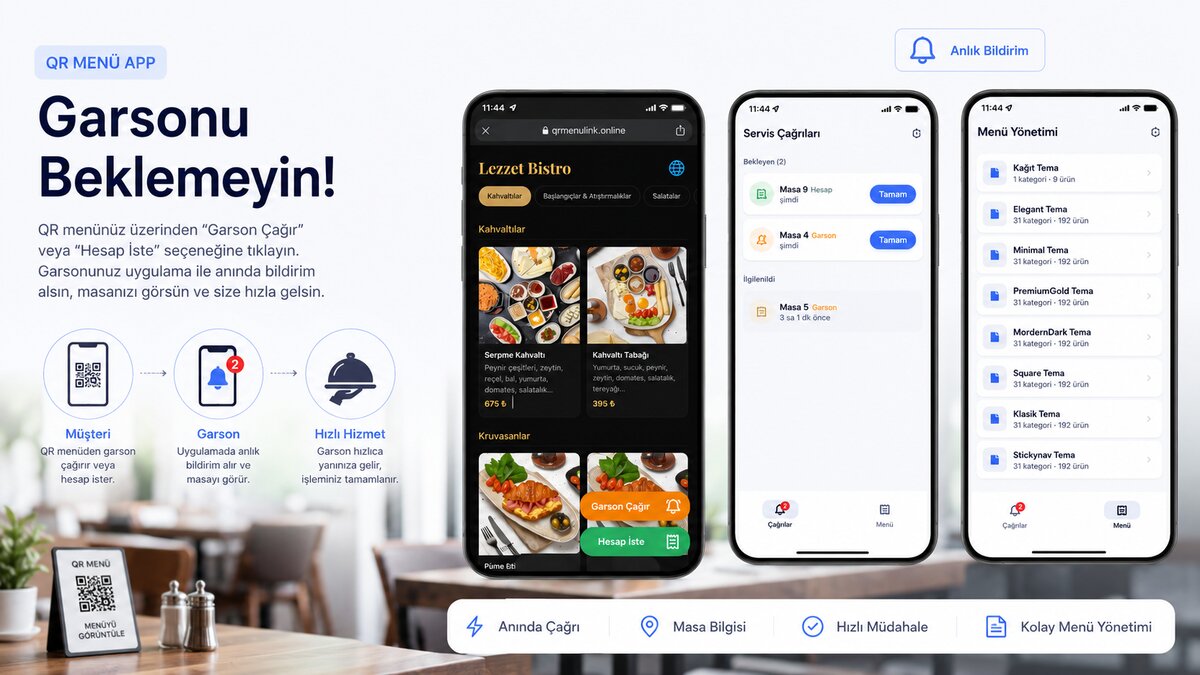
Great news: the QR Menu Link Staff app is now live on Google Play. Starting today, you can install the app that turns your QR menu from a one-way catalog into a living part of your business right onto your Android phone.
🎉 Our Android app is live! Receive waiter calls with audio notifications and manage your menu from your phone. Update: the iOS version is now live on the App Store.
In most businesses, a QR menu works only one way: the customer scans the code, reads the menu, and that's it. Yet the real value lies in making the menu two-way: the customer can call a waiter from the table, and staff can manage the menu on the fly. That's exactly what the Staff app does — it delivers incoming calls to your phone with audio notifications and lets you update your menu with one hand.

Customers call a waiter or request the bill from their table
Your customers don't need to download any extra app. With a button that's always visible on the QR menu at their table, they can tap once to say "Call Waiter" or "Request Bill." They can also add their table number and a short note to the call — so your staff know in advance who to serve and which table to go to.
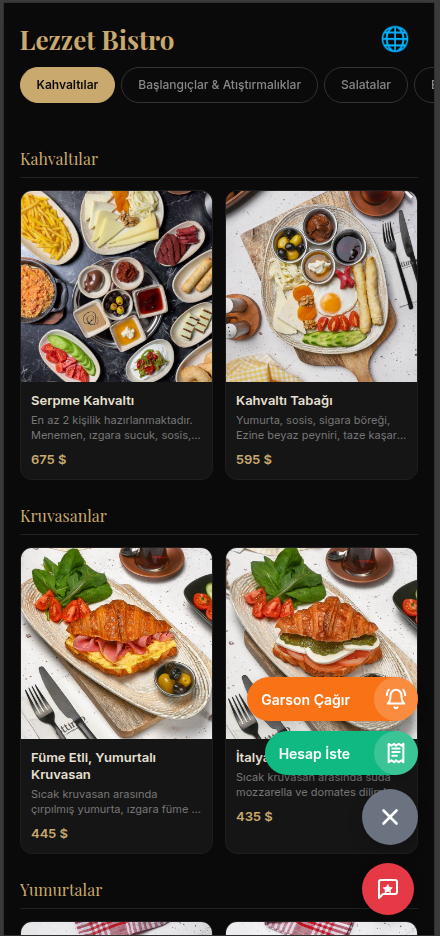
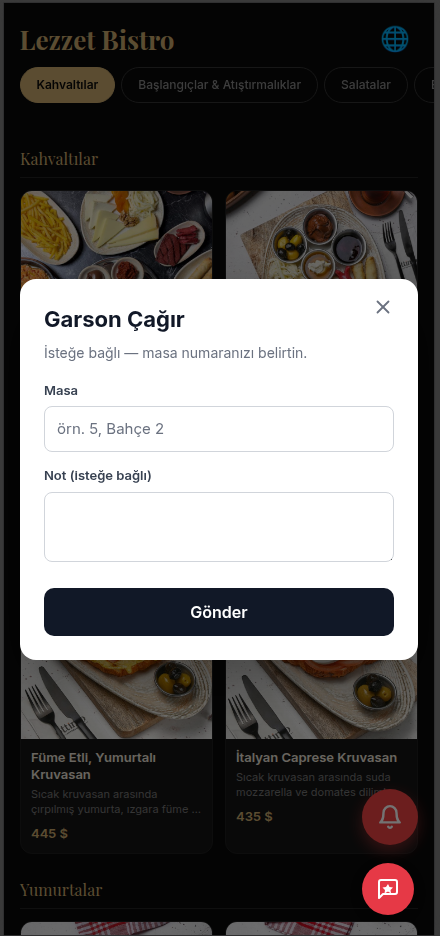
The call lands on staff phones instantly
The moment a customer makes a call, it lands on the phones of all staff connected to your restaurant as an audible, vibrating notification — even when the screen is off. On the app's Service Calls screen, pending calls are listed at the top; the call type (Waiter / Bill) and table information are clearly visible.
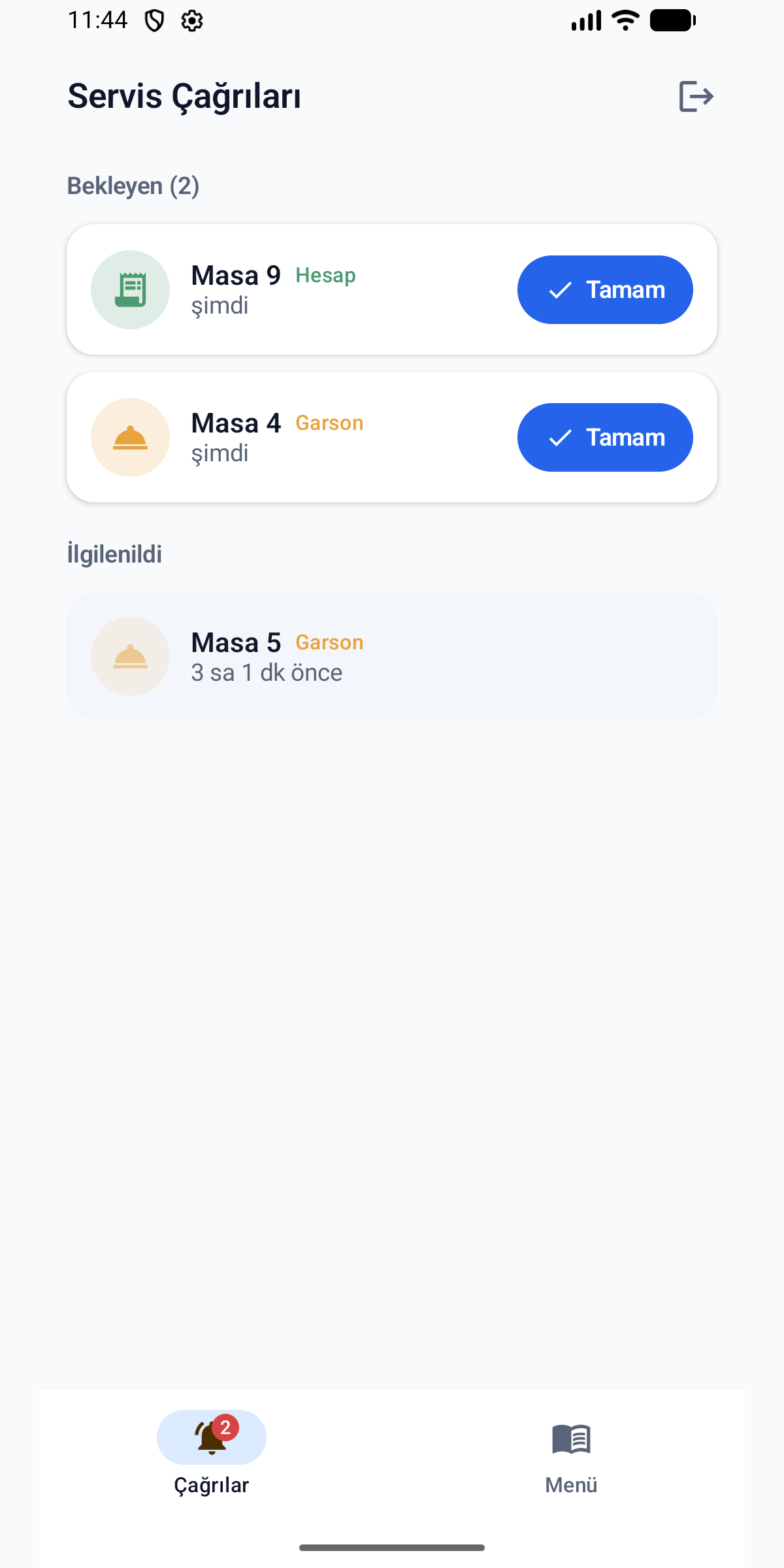
An available staff member takes ownership of the call with "Done." At that moment the call moves to the "Handled" section and everyone on the team sees that it has been picked up — no more two people rushing to the same table, and no more forgotten calls. The badge in the corner shows how many pending calls there are on every screen.
Manage your menu from your phone
The app isn't just for receiving calls. From the Menu tab at the bottom, you see all your menus, themes, and category tree. You can manage your menu live from the kitchen or the dining room, without ever opening a computer.
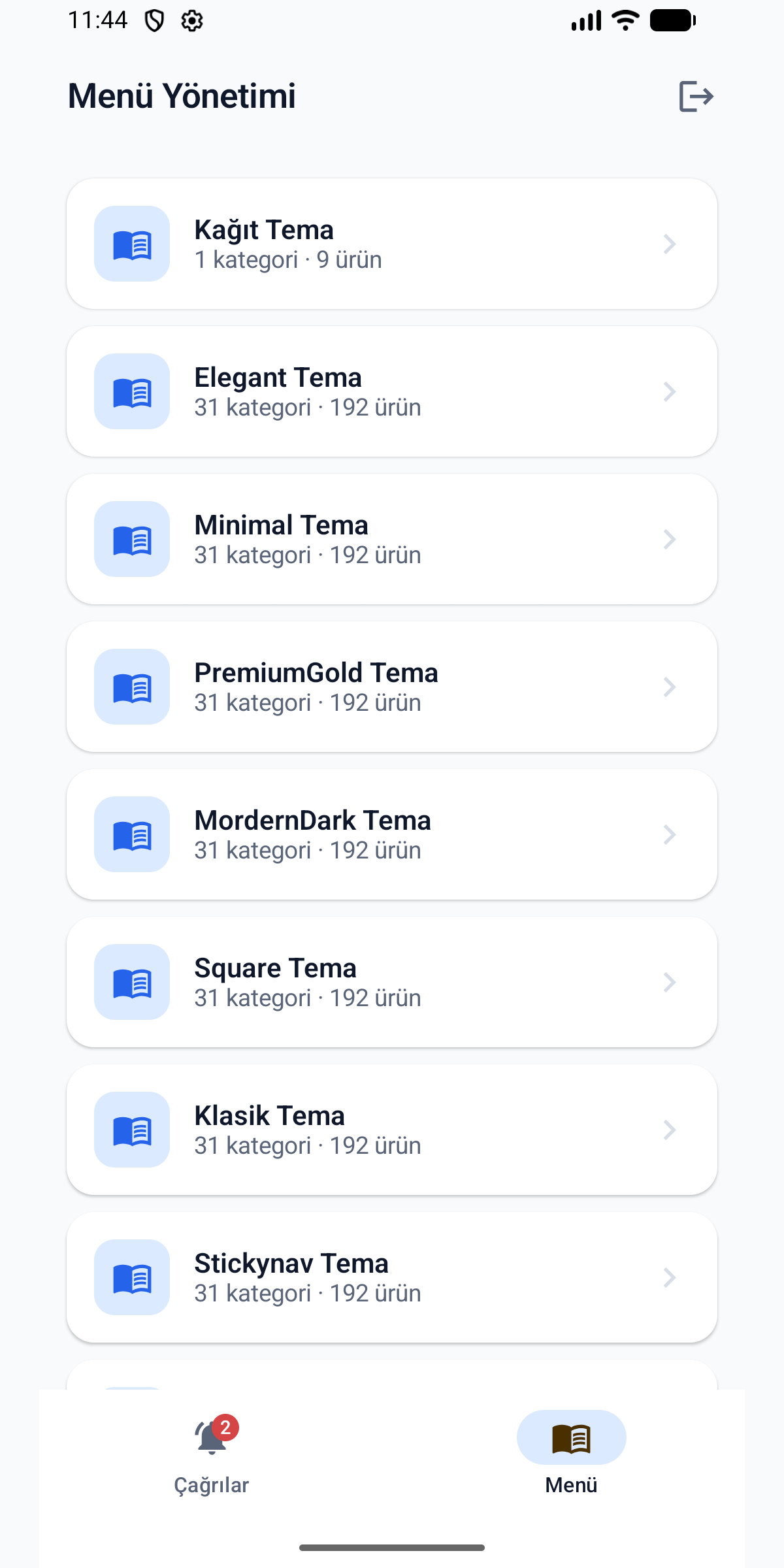
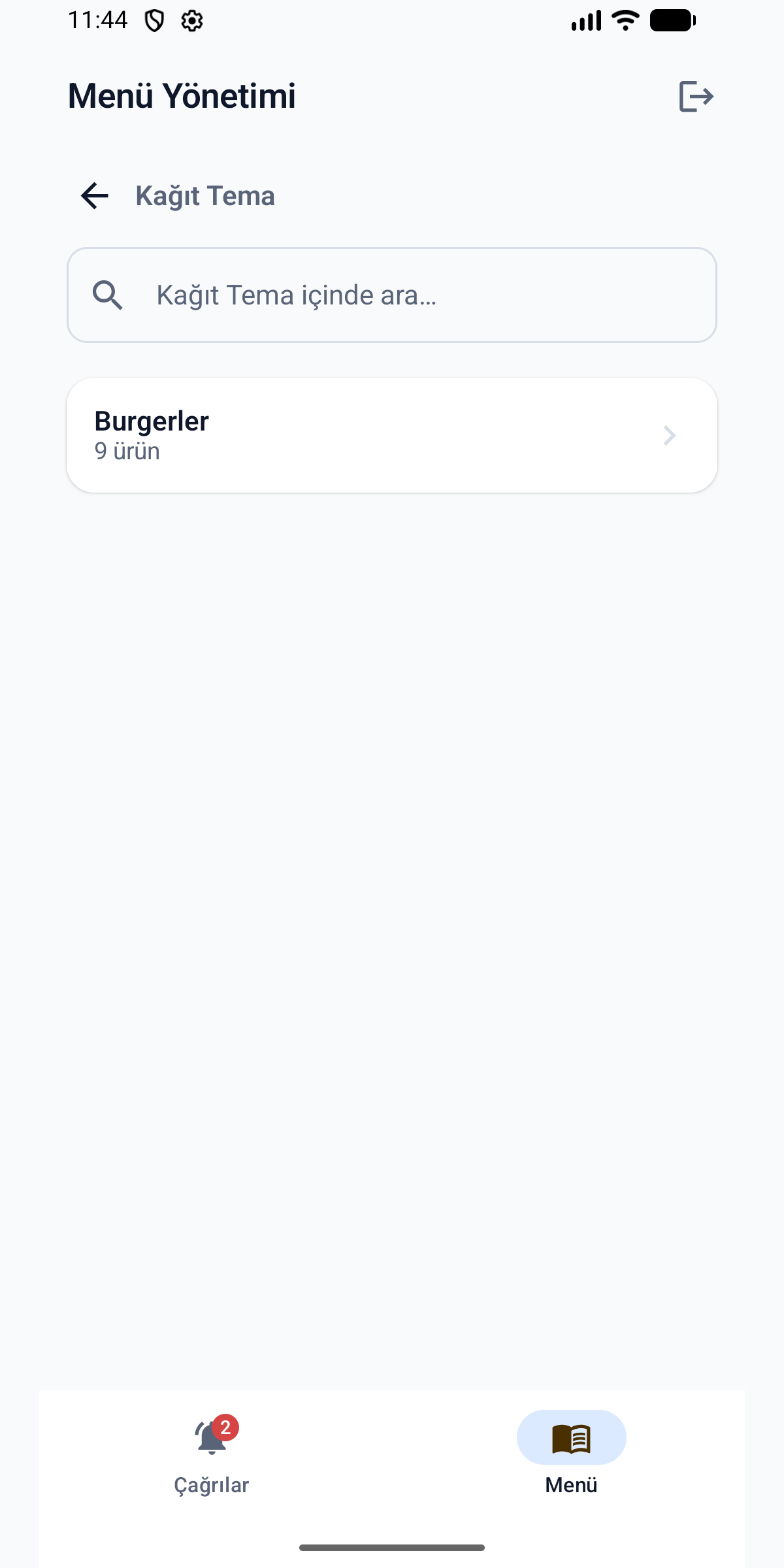
Tap a product and within seconds you can do the following:
- Update prices: a price increase or a promotion is reflected in the menu instantly.
- Mark as sold out: close a product that has run out with one tap; it's hidden immediately on the QR menu, and you can reopen it when it's back.
- Add a photo: upload a photo from your phone directly as the product image.
- Quick search: find what you're looking for among hundreds of products instantly within the menu.
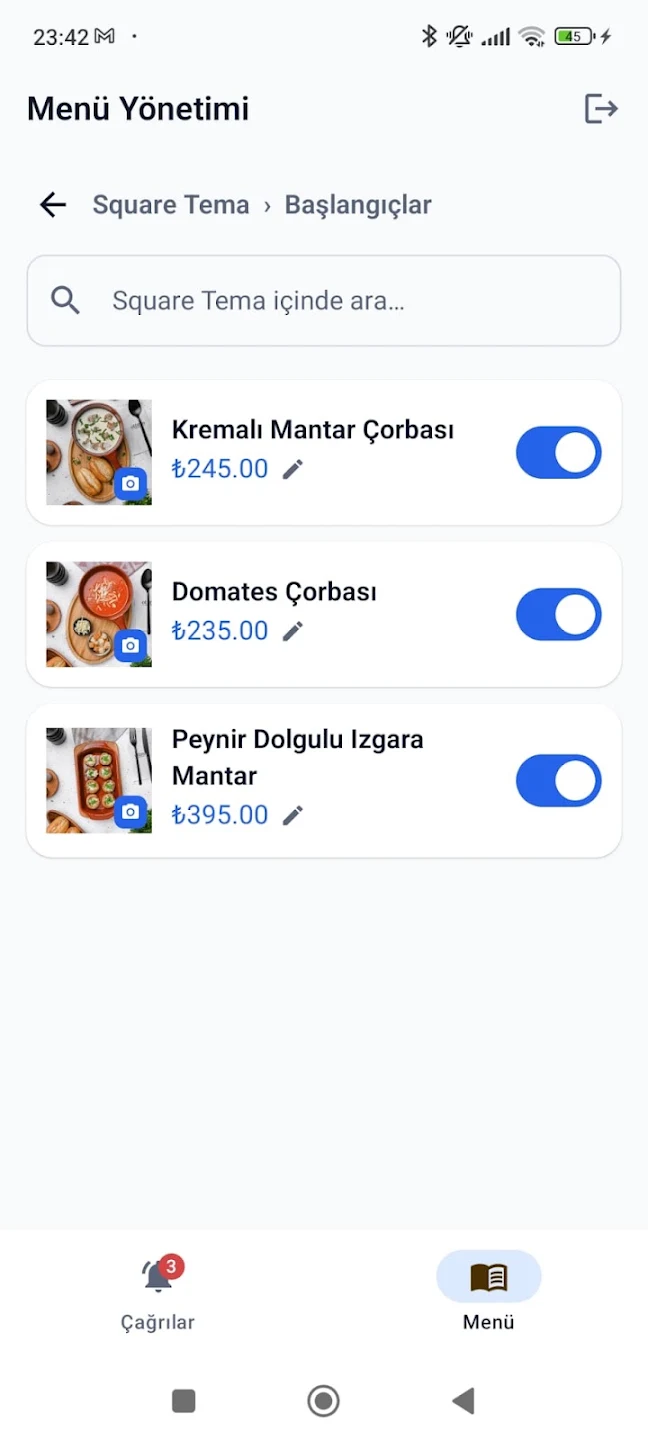
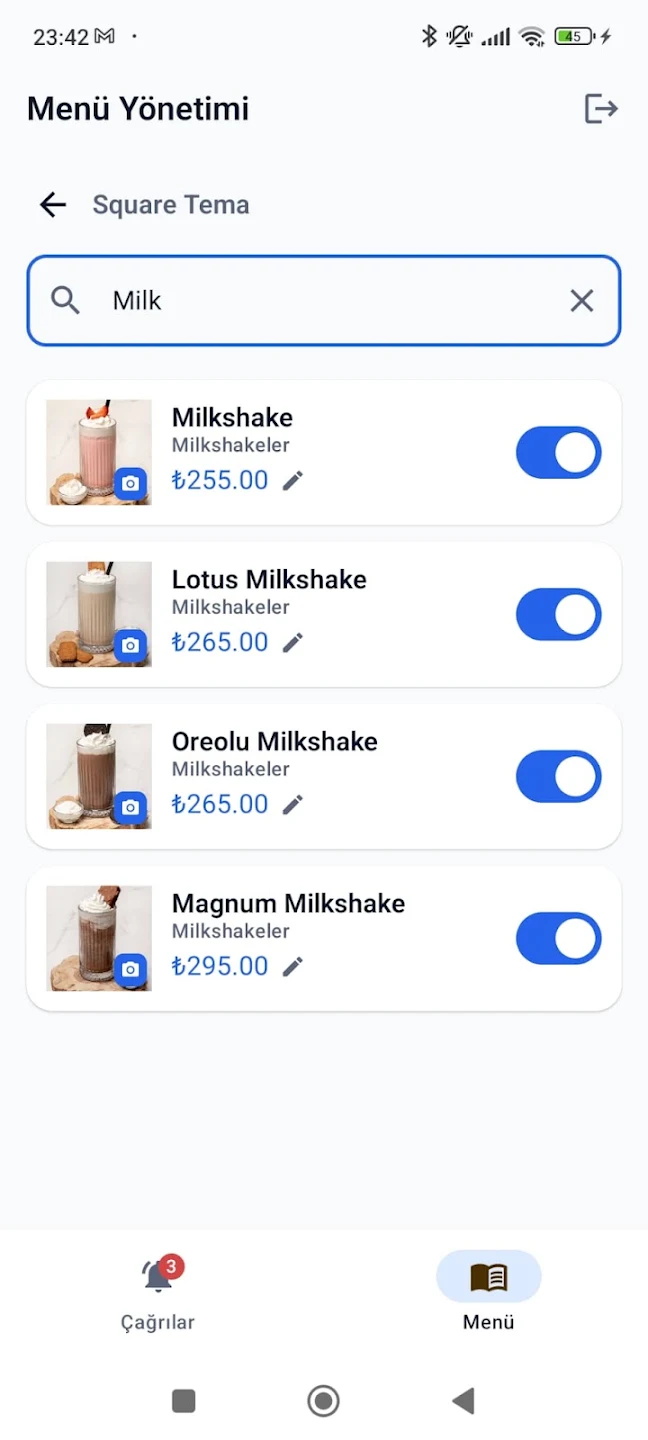
Every change you make is reflected in the live menu without changing the QR code — the code at the table always stays the same. If you're curious how a QR menu is set up, take a look at our how to make a QR menu article.
Why does it make a difference?
- Instant calls: the customer doesn't raise a hand and wait; the call goes straight to the staff member's pocket.
- Table information: staff know in advance who to serve and where to go.
- Fast response: a call owned via "Done" isn't lost and isn't duplicated.
- Easy menu management: prices and stock are always current; you don't need to sit down at a computer.
Frequently asked questions
Does the customer need to download an app?
No. The customer only scans the QR code at the table; the call buttons are inside the menu. The app is for staff only.
Is it available on iPhone?
Yes! Our iOS app is live on the App Store — it runs on iPhone and iPad. Receiving system notifications through the panel without installing an app is also possible.
How many people can receive notifications at once?
All staff connected to your restaurant account receive the call at the same time. Whoever is available first takes ownership with "Done"; the others see that the call has been handled.
Do I need to reprint the QR code for a change I make to the menu?
No. Price, stock, and image updates are reflected in the live menu instantly; the QR code at the table never changes.
Other parts of this series
Our article series covers waiter calls and menu management across different devices and methods:
- QRMenuLink Staff — Android (this article): live on Google Play; waiter calls and mobile menu management.
- App-free notifications: receiving call notifications through the panel on Android and iPhone, without installing any app.
- QRMenuLink Staff — iOS: live on the App Store; waiter calls and menu management on iPhone and iPad.
Conclusion
With the QRMenuLink Staff app, your QR menu stops being a passive catalog and becomes part of your business: the customer calls from the table, staff are informed instantly, and the menu stays current at all times. No waiting for a waiter, no missed calls, no outdated prices.